There is a version of this story where building a website takes months. Where you hire a developer, brief an agency, wrestle with WordPress themes, argue over colour palettes and eventually launch something that looks nothing like what you imagined. That is not this story.
This story starts with a conversation. One conversation, on one evening, between a person who describes himself as "not very technical" and an AI. By the end of that conversation, an entire website had been designed — not just sketched, but fully architected. The folder structure. The content schema. The navigation logic. The design system. The database-free publishing workflow. The integration plan for a custom analytics layer already running on the same domain. All of it, in one session.
That conversation is the reason this site exists. And this article is the record of how it happened — because that felt like exactly the right first piece of content for a site called What AI Did Next.
It started with a concept, not a brief
The starting point was a sprawling, thoughtful concept note, very detailed with great ideas. Not a technical spec — more a vision. A flat-file website built with HTML, PHP and JSON. No database. No WordPress. A site that could host articles, reviews, tutorials and pages, all driven by JSON content files that a non-technical person could create and publish without touching a line of code.
The concept included things most developers would only think about in version three: template systems, configurable navigation, modular includes, SEO designed for 2026's AI-powered search results, outbound link tracking, content rules that automatically adjusted the layout based on word count. It also included a longer-term vision — protected member areas, a client onboarding system, a product delivery mechanism — all described as "maybe later, but designed for now so we can drop it in without breaking what already exists. All listed by the designer, ready for AI to interpret to code."
That last instinct — build modularly, plan ahead, never paint yourself into a corner — turned out to be the thread that ran through everything that followed.
The moment it became visual
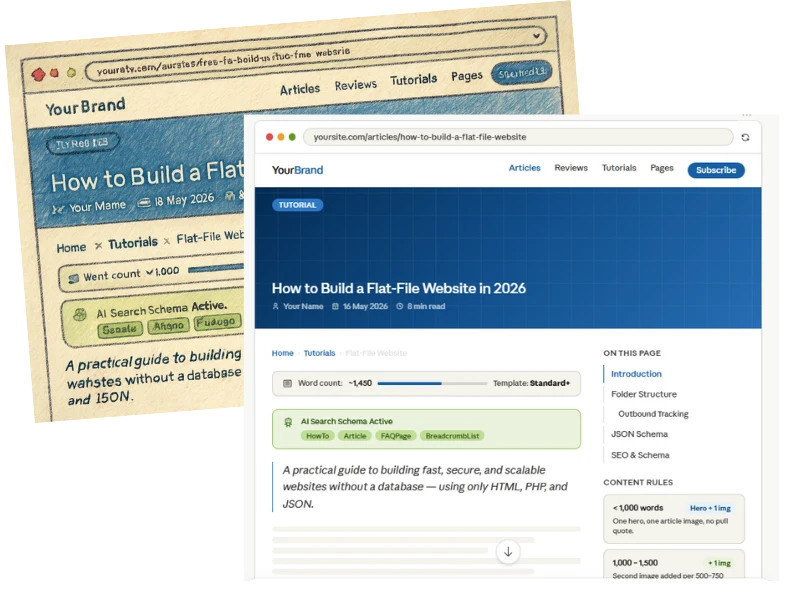
One of the early pivots in the conversation was a simple admission: "I am a visual learner and thinker. Making some mock-up designs maybe a good visual way to see how an article page may look." That changed everything.
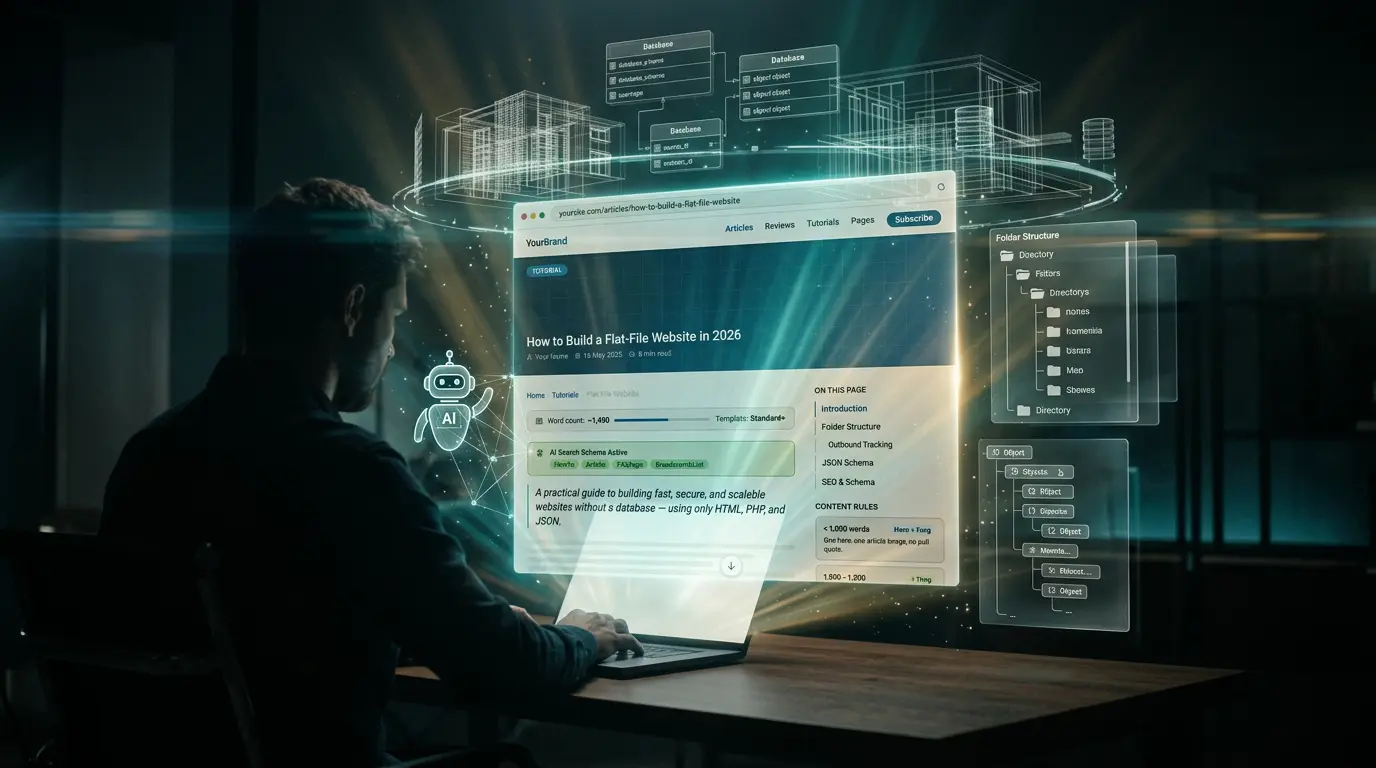
Rather than continuing to talk about the site in the abstract, a full interactive article page mockup was built directly inside the conversation. A browser frame. A sticky navigation bar. A full-width hero image with metadata. A breadcrumb trail. A live word-count indicator. A sidebar showing the table of contents. SEO schema indicators. A pull quote. Related article cards. A configurable footer. All rendered in real time, clickable, explorable.
Rather than continuing to talk about the site in the abstract, a full interactive mockup was built directly inside the conversation — and that changed everything about how the rest of the session unfolded.
That visual anchor transformed the conversation from planning to making. Once you can see a thing, you can react to it. You can say "yes, those colours" and "no, not that layout" and "actually, what if the navigation only showed items that had real content behind them?" which is exactly what happened next.
The smart navigation idea
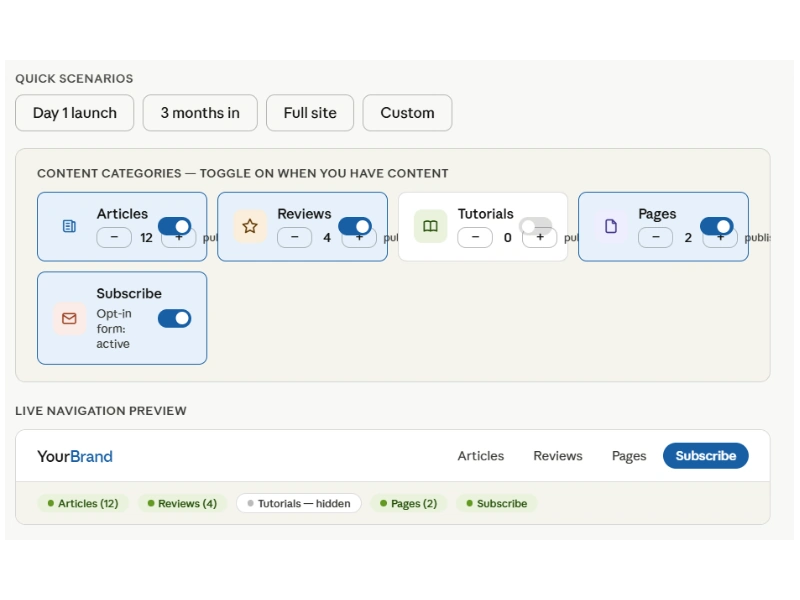
The navigation conversation produced one of the most satisfying moments of the session. The question was simple: rather than showing all five navigation items from day one, what if the navigation only displayed a category once there was actual published content in it? No ghost links. No "coming soon" pages. No navigation item pointing to an empty section.
The answer was yes — and a second interactive demo was built on the spot. Toggle articles on, the Articles link appears. Toggle reviews off, it disappears. Set the subscriber count to zero and the Subscribe button vanishes. The underlying PHP logic was shown in real time, updating as the toggles changed. A simple function that scans a content folder, counts published JSON files, and only renders the navigation item if the count is above zero.
The cache system that makes this performant — so the site is not rescanning folders on every single page load — was designed in the same breath. It is the kind of detail that gets skipped in a typical brief and causes problems six months later. Here it was captured immediately, in context, as part of the natural flow of the conversation.
The JSON schema: the most important decision of the session
At a certain point in the conversation, the framing shifted: before writing any code, define the content schema. This is the single most load-bearing decision in a flat-file site. Every template, every SEO rule, every content rule, every navigation count — all of it depends on the shape of a JSON content file.
What emerged was a fully versioned schema — starting at v1.0, with a migration path built in for v2 before v2 even existed. The schema included required fields and optional ones. It separated content from metadata. It used a blocks array — an ordered list of typed content objects — rather than raw HTML, which means the content is data, not markup, and can be analysed, counted, searched and transformed without a parser.
Twelve block types were defined: paragraphs, headings, images, pull quotes, dividers, CTAs, callouts, YouTube embeds, two-column layouts, FAQ blocks (which auto-generate schema.org FAQPage markup for Google's AI search results), audio players and more. The whole schema was built as an interactive explorer — click a field, see its purpose, its example value, its note. Click a block type, see its JSON structure. Click the Full Example tab and see a complete, deployable article file.
Do you need to be technical to publish content on this site?
Why use JSON files instead of a database?
How does the site handle SEO for AI search in 2026?
The folder structure: a map of everything
The final major output of the session was a complete, interactive folder structure — colour-coded by purpose, clickable, with every file and folder explained. Core PHP in blue. Content in green. Assets in amber. Configuration in purple. Protected areas in red. Auto-generated cache in teal. Documentation in grey.
The documentation folder is worth mentioning specifically. It contains a DECISIONS.md file — a running log of every significant architectural choice, formatted with the question, the options considered, the decision made, and the trigger that would prompt revisiting it. The session produced four entries immediately. This pattern, borrowed from a skills framework built across two previous AI-assisted projects, is how institutional memory gets preserved when you are the only person on the team.
What this actually demonstrates
The easy version of this story is: AI did all the work. That is not what happened at all. The concept, the instincts, the constraints, the vision of what the site should be and do, the security, the modular build, the standards, the smoke testing and eyeball tests, even the discovery process of adding images based on content and revealing navigation only when it become a requirement — all of that came from one side of the conversation. The structure, the visual representation, the technical implementation, the edge cases caught before they became problems — that came from the other.
What the collaboration produced was something neither party would have produced alone at the same speed or to the same standard. The non-technical founder, that's me, got a fully designed, fully documented, production-ready architecture without needing to hire a developer or spend weeks in research. The AI got direction, context, constraints, guidelines to work to and the human judgment calls that no amount of technical knowledge can substitute for.
That gap — between having a vision and being able to execute it — is what this site is fundamentally about. Not AI replacing people. Not people being replaced. The two working together in a way that collapses the distance between idea and outcome. Even various bugs were discovered by both parties, never by one alone!
Everything in this conversation is documented
The folder structure, the JSON schema, the smart navigation logic, the PHP include system, the decisions log — all of it was captured during the session that produced this site. Future articles will go deeper into each piece as it gets built.
What comes next
This article is the first piece of content on whataididnext.com — and fittingly, it is about the creation of the site itself. The next steps are to take everything designed in that conversation and turn it into a live site: the PHP templates, the CSS design system, the JSON routing logic, the Track n Dash analytics integration that is already running on this domain and will be wired into the new flat-file site's footer with a single line of PHP.
That build will be documented here too, as it happens. Not as a polished retrospective but as a real account — the decisions, the problems, the moments where the plan met reality and had to adapt. That feels like the right way to run a site about how humans and AI actually work together. But more importantly, as new ideas are hatched, more content will be released from this web site and we would love to have you along for our journey to share