A practical explanation of UTM tracking, how it works technically, and why capturing it against our own visitor records changes the value of the data we already collect
UTM tracking is one of those ideas that sounds more technical than it really is. At its simplest, it is a way of adding a small label to a link so that, when someone clicks it, we know where that visit came from and which piece of activity caused it. Used well, it turns vague traffic numbers into something more useful: a record of which posts, emails, ads, partnerships or campaigns actually brought people to us.
UTM from a technical perspective
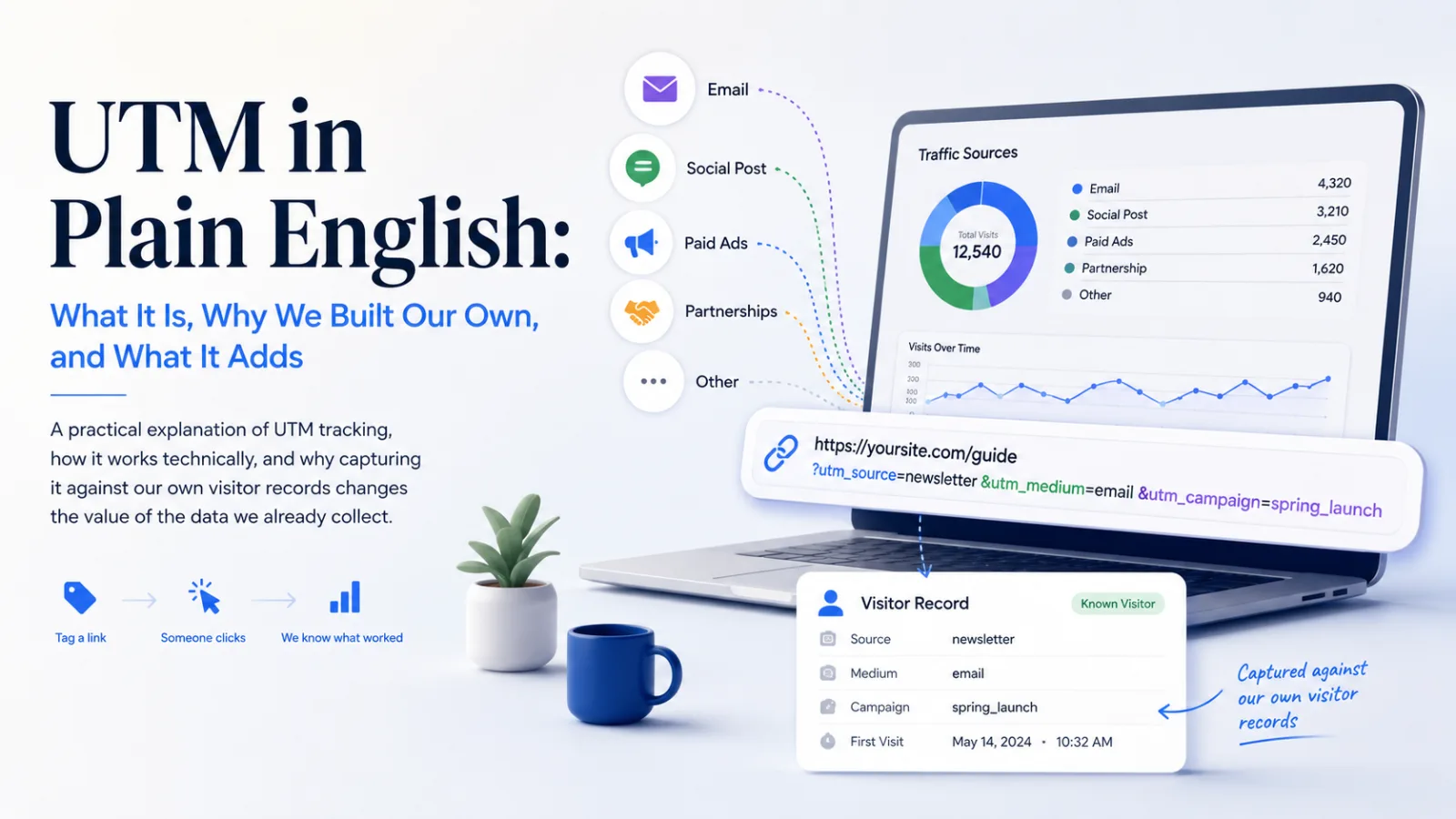
A UTM tag is a set of query parameters added to the end of a URL. The page still loads in the normal way, but the link carries extra information after the question mark. A typical tagged link might include values such as utm_source, utm_medium and utm_campaign, separated by ampersands.
https://example.com/article?utm_source=linkedin&utm_medium=social&utm_campaign=march-comment-thread
What does it all mean?
Imagine we share the same article in three places: a LinkedIn post, a partner newsletter and a paid advert. The page is the same in every case, but each link has a different label. That means we can later see whether the visitor came from LinkedIn, the newsletter or the advert, rather than treating all three visits as the same kind of traffic
What the main fields mean
The common UTM fields each answer a different question. The source says who or what sent the visitor. The medium says what kind of channel it was. The campaign says which piece of activity the link belonged to. Optional fields such as term and content can go deeper, for example by identifying a keyword, advert variation or specific link position.
utm_source identifies the origin: linkedin, google, newsletter, partner-site or another named source.
utm_medium identifies the channel type: social, email, cpc, referral, banner or another route by which the link reached the person.
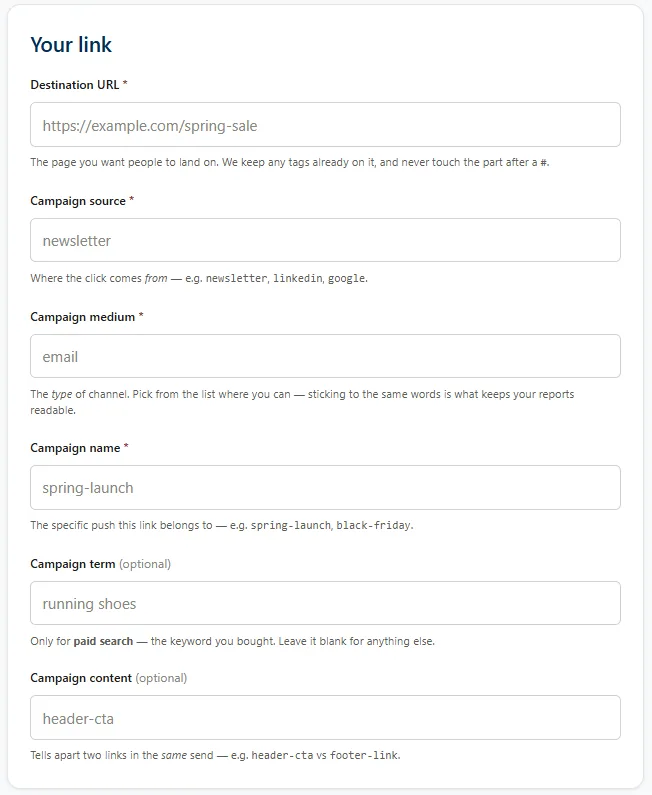
utm_campaign identifies the activity: the launch, promotion, article push, event, comment series or other named campaign.
utm_content and utm_term are optional. They help distinguish one version of a link from another, such as two calls to action in the same email, or the keyword or targeting used in a paid campaign.
When a person clicks the link, the browser sends the full URL to the destination website. Analytics tools can read those values and file the visit under the right source, medium and campaign rather than guessing from a generic referrer or treating it as direct traffic
UTM in Plain English
Think of a UTM tag as a label stuck to a link before you share it. The label does not change the page. It just tells your website something useful when the person arrives. Without that label, we may only know that a visitor came from LinkedIn, Google or an email client. That can be useful, but it is also blunt. With UTM, we can say they came from a specific LinkedIn post, a specific newsletter link, a particular advert, or a particular piece of outreach.
The difference is the difference between saying, "someone came from town" and saying, "someone came from the blue flyer we handed out at the station on Tuesday morning". One tells you there was traffic. The other tells you which action produced it.
UTM does not track behaviour by itself. It tells us the starting point. The rest of our tracking tells us what happened after that
That distinction matters. If we know where someone first came from and then see what they read, clicked, watched or signed up for, we can connect the original effort to the later behaviour. For a beginner, the important point is this: UTM tells us which door someone used to enter. Our existing tracking tells us what they did once they were inside.
Simple example: if ten people arrive from a LinkedIn post and two later sign up, the UTM tag helps us connect those sign-ups back to that post. Without the tag, we may only know that the sign-ups happened; we may not know which piece of activity first brought those people in.
What we already tracked
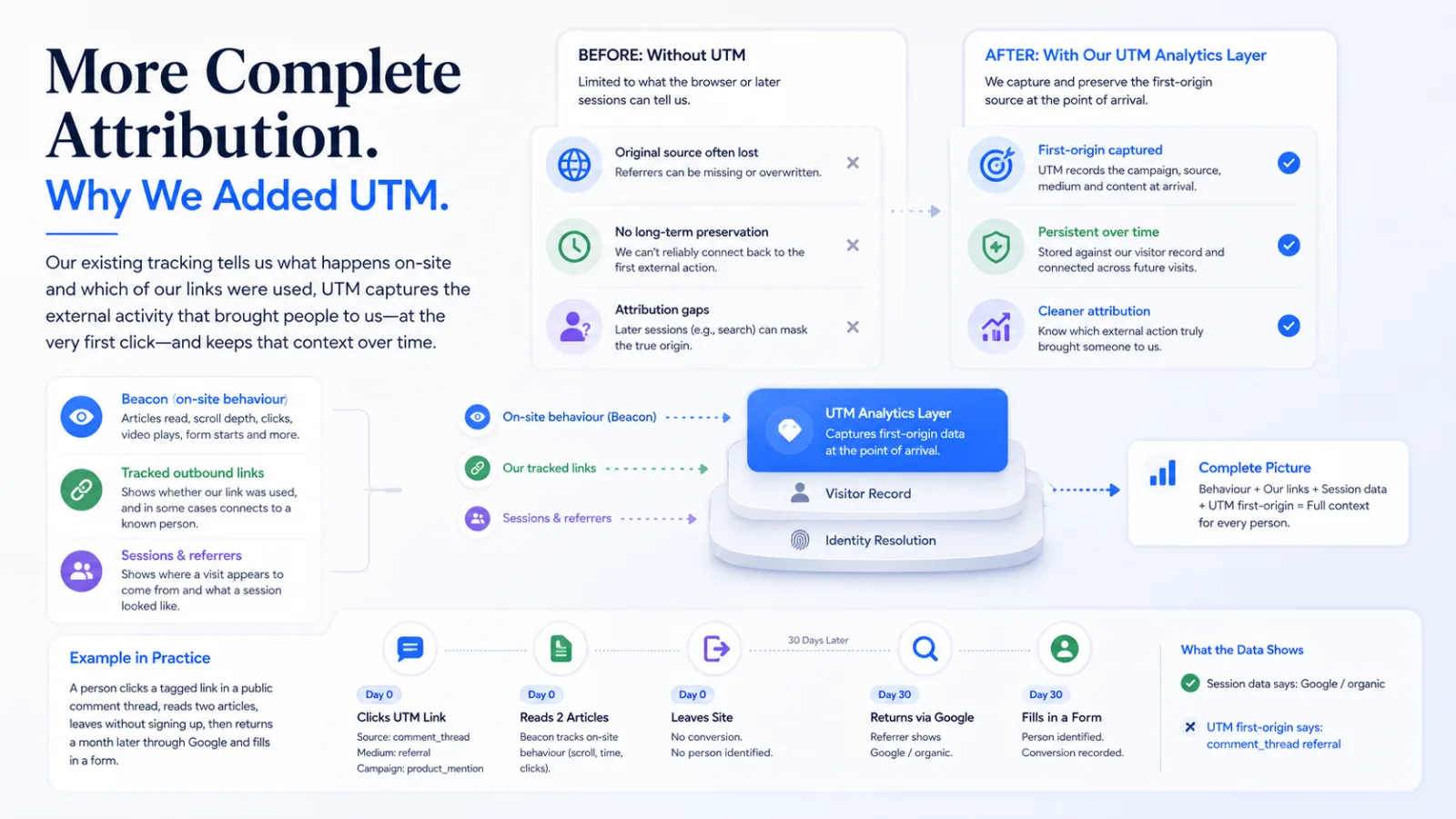
Before adding our own UTM analytics layer, we already had useful tracking. Our beacon could show on-site behaviour: articles read, scroll depth, clicks, video plays, form starts and other engagement signals. Tracked outbound links could show whether a link we created was used, and in some cases connect that click to a known person. Sessions and referrers could show where a visit appeared to come from
Those tools answered important questions, but not the first-origin question cleanly. They could tell us what happened on the site, or what link was clicked if it was one of ours, or what the current visit looked like. They could not reliably preserve the original source of a person over time.
That is where UTM changes the picture. It adds a controlled, intentional description of the activity that brought the person in. Instead of relying only on a browser referrer or a later session, we can store the original campaign information at the point of arrival.
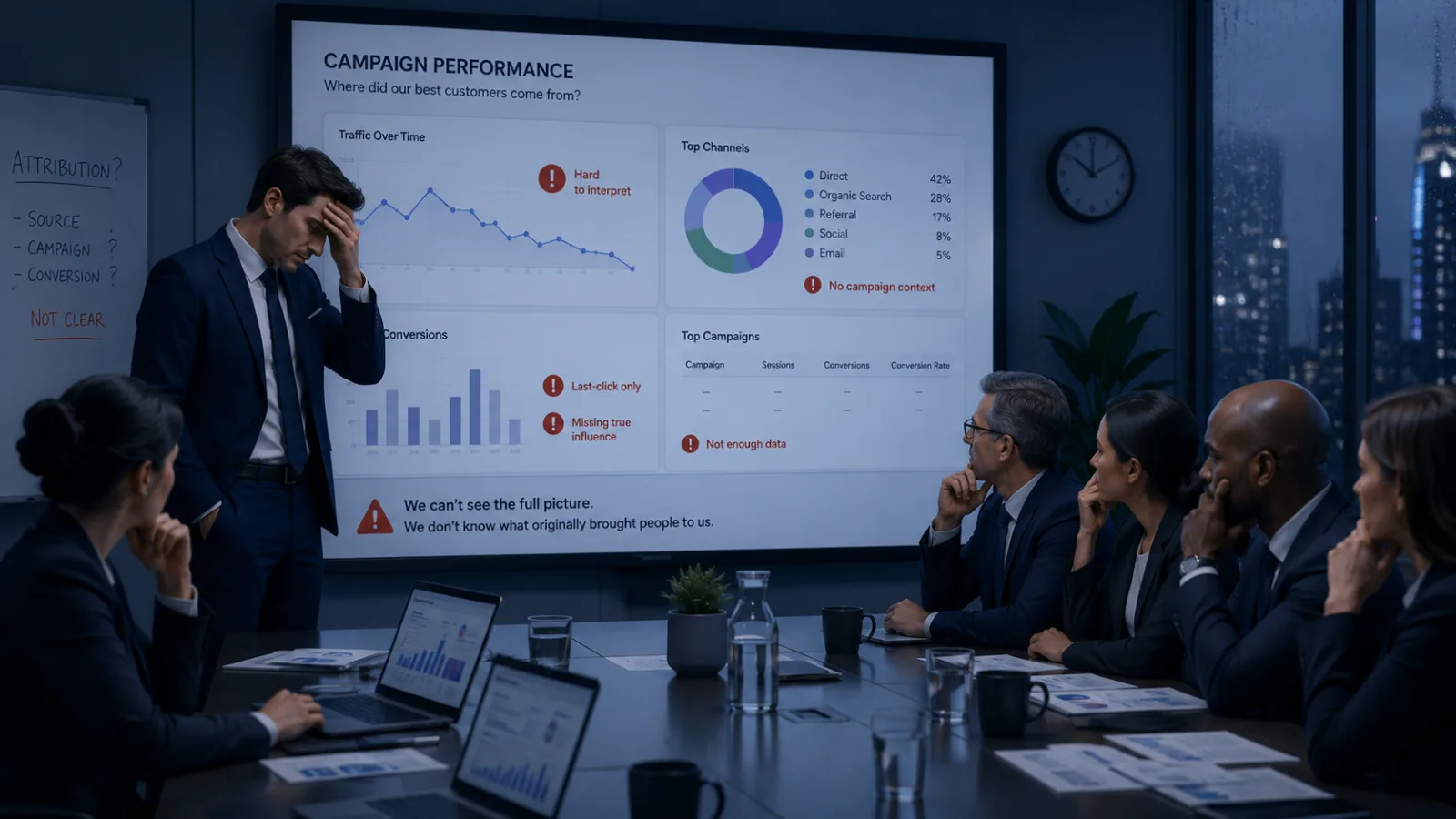
When I present to the board, I need to be able to show the where, what, why and how, not just the outcome!
Finance Client - Staffordshire
In other words, the beacon tells us behaviour. Tracked links tell us whether our own links were used. Session data tells us about visits. UTM tells us which external action brought someone to us in the first place.
Example in practice: someone clicks a tagged link in a public comment thread, reads two articles, leaves without signing up, then returns a month later through Google and fills in a form. The later session may look like search traffic, but the first UTM record shows that the person originally came from the comment thread.
Why we built our own UTM analytics
The important point is that we were not just trying to collect UTM tags. We were trying to make them useful inside our own system.
Generic analytics can count campaign visits. That is valuable, but it is usually visit-based. It can tell you that a campaign sent traffic, and sometimes what that traffic did during a reporting window. What we wanted was more durable: first-arrival information attached to the person record itself
That matters because people do not always convert, subscribe or identify themselves on the first visit. Someone may arrive from a post today, browse quietly for months, return through search later, and only then sign up. If the first origin was not captured and kept, the source that actually found them disappears from the story.
Our own UTM analytics were built to prevent that. The first tagged arrival is written once against the person. It is not overwritten every time they come back through a different route. That gives the original source proper credit and keeps later behaviour connected to the first discovery point
This also avoids a common measurement problem. The last thing someone clicked is not always the thing that found them. A newsletter may remind an existing reader. Search may help them return. But the original LinkedIn post, advert, partner link or comment thread may be what brought them into the audience in the first place.
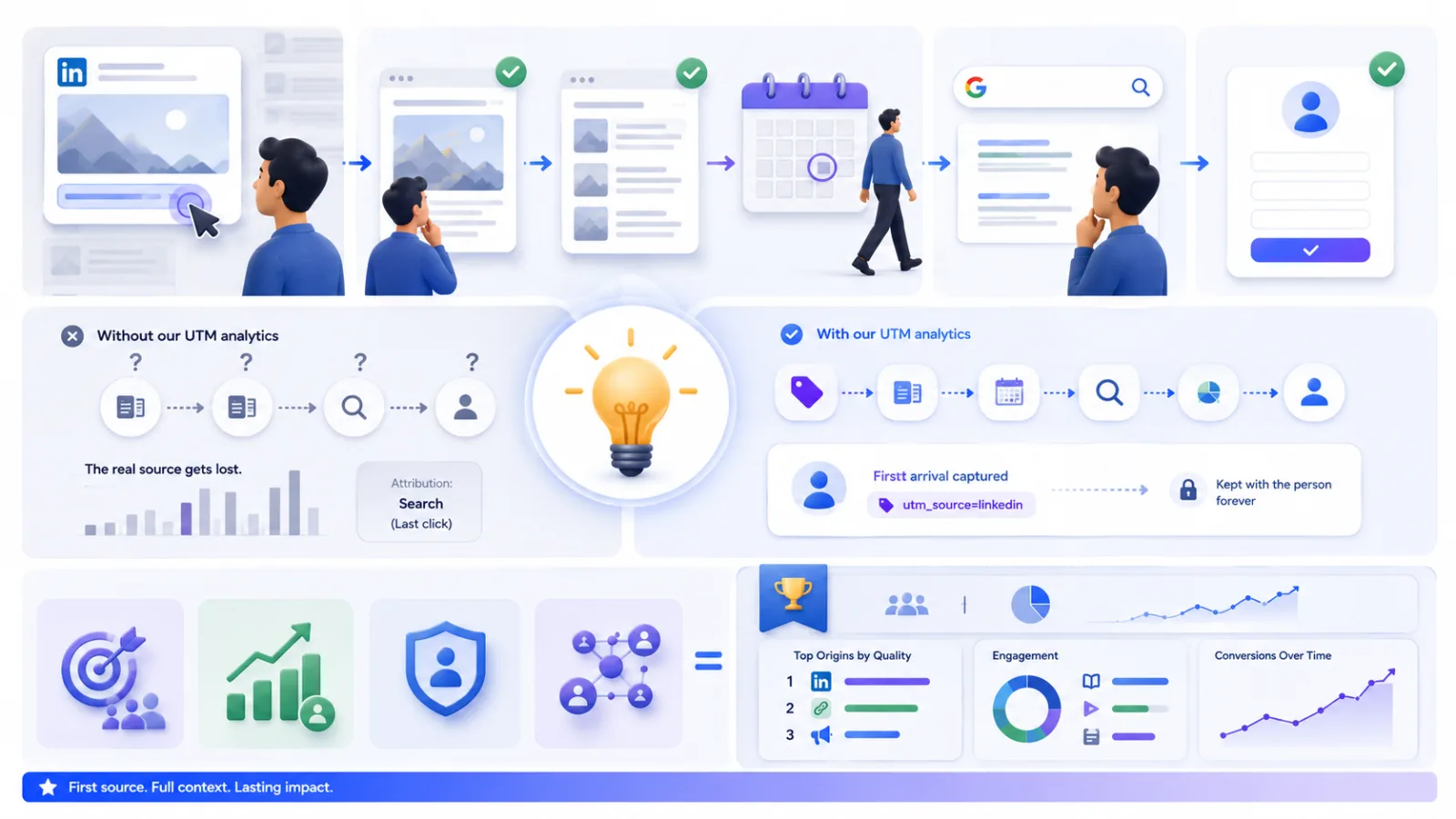
By owning this layer ourselves, we can place UTM data beside the information we already gather, rather than leaving it as a separate campaign report somewhere else. • It joins origin to behaviour. We can compare source and campaign data with reading depth, repeat visits, form activity and other engagement signals. • It keeps the first source stable. Returning through a different route does not erase the original discovery point. • It works even when identification happens later. If an anonymous visitor becomes known months later, their first-arrival information can still travel with them. • It prepares us for more serious reporting. Paid campaigns, partnerships, outreach and content promotion can all be judged by the quality of people they bring in, not just the volume of clicks.
The result is not just better campaign tracking. It is better attribution across the whole information-gathering system.
An example: suppose a campaign brings in 500 visitors, but most leave after one page. Another campaign brings in only 80 visitors, but many of them read several pieces, return later and complete a form. UTM joined to our own tracking helps us see that the smaller campaign may be more valuable.
What this means for our information gathering
Going forward, UTM becomes a new dimension across the resources we already collect. Instead of asking only which articles performed well, we can ask which sources produced people who read deeply. Instead of asking only how many visits a campaign sent, we can ask whether those visitors returned, subscribed, clicked, completed forms or became useful contacts.
That changes the quality of the questions available to us. We can move from traffic measurement to audience understanding.
A source can send a lot of visitors and still produce little value. Another source can send fewer people but produce readers who stay longer, return more often and take more meaningful action. Without origin data attached to behaviour, those differences are easy to miss.
This also makes reporting more useful when we do build it. The reports will not have to start from scratch. The data is already being banked. Every properly tagged arrival adds another line of evidence that can later be analysed by source, medium, campaign, content, behaviour and person-level outcome.
The most important part is time. You can build a chart later. You cannot go back and capture where someone first arrived from if it was not recorded at the time. Capturing the source now protects the future value of the data.
A few practical limits
UTM is powerful, but it needs discipline. Names should be consistent, simple and deliberate. If one person writes linkedin, another writes LinkedIn and another writes li, the reporting gets fragmented. A builder helps because it creates cleaner links and reduces mistakes in spelling, structure and naming.
It is also worth being careful about where UTM is used. It is best for links shared outside the site: social posts, campaigns, partner placements, adverts and public outreach. It should not be used casually on internal site links, because that can confuse attribution by making a person appear to arrive from a campaign while they are already on the site.
Email is a special case. For our own newsletters and known-user journeys, our existing tracked links may be more reliable because they are built to recognise the person. UTM can still describe the campaign, but it should not replace the stronger identification route where we already control the link.
A useful rule of thumb: use UTM when the link is being shared outside our own site and we want to know where the visitor came from. Use our tracked links when we already control the journey and need stronger person-level identification.
How to analyse UTM data
Analysing UTM data is not just about finding the biggest number. The useful question is not only which campaign sent the most traffic, but which source brought people who did something valuable afterwards.
A good starting point is to group the data by source, medium and campaign. Source tells you where people came from. Medium tells you the type of channel. Campaign tells you the activity behind the link. Looking at these together stops the data being too broad. For example, “LinkedIn” alone may be interesting, but “LinkedIn, social, March comment thread” is much more useful.
Once the traffic is grouped, compare it with behaviour. Look at which sources produced readers who stayed longer, read more than one article, returned later, clicked a tracked link, started a form or became known contacts. This is where UTM becomes more than a campaign label. It becomes a way of judging the quality of attention each activity brought in.
• Start with volume. How many visits or people came from each source, medium and campaign? • Check engagement. Did those people read deeply, click, watch, return or move beyond the first page? • Look for outcomes. Did they subscribe, complete a form, become a contact or take another useful action? • Compare quality, not just quantity. A smaller campaign may be better if it brings more serious readers or higher-value contacts. • Keep first origin separate from later visits. The first source tells us what introduced the person. Later sources may tell us how they came back.
Campaign A sends 1,000 visitors and 20 become useful contacts. Campaign B sends 150 visitors and 15 become useful contacts. If we only look at traffic, Campaign A looks stronger. If we look at the quality of visitors, Campaign B may be the better use of effort.
It also helps to separate reporting into two views. The first view is campaign performance: which sources and campaigns brought people in. The second view is audience behaviour: what those people did over time. The value comes from joining the two views without confusing them
For our own analytics, the key analysis is first-origin value. That means asking: of the people who later mattered, where did they first come from? This is a more useful question than only asking what their last visit looked like, because it gives proper credit to the activity that first brought them into the audience.
Common UTM mistakes to avoid
Most UTM problems are not technical failures. They are usually small naming or usage mistakes that make the data harder to read later. The link still works, but the reporting becomes messy.
• Using different names for the same source. linkedin, LinkedIn, li and linkedin.com may all mean the same thing to a person, but an analytics system can treat them as separate sources. Pick one format and stick to it. • Putting too much detail in the wrong field. The source should usually say where the visitor came from. The medium should say the channel type. The campaign should say which activity the link belongs to. If all of that is crammed into one field, the data becomes harder to compare.
• Tagging internal links. UTM is usually for links shared outside the site. Adding UTM tags to links between pages on the same site can make a visitor look as if they arrived from a new campaign halfway through their visit. • Changing campaign names halfway through. If the first week uses spring-launch and the second week uses spring_launch, the report may split one campaign into two. That makes performance look weaker or more confusing than it really is.
• Forgetting the human reader. A UTM name should be short enough to manage but clear enough to understand later. march-comment-thread is easier to review than mct-03-v2-final unless everyone knows exactly what that code means. • Expecting UTM to explain everything. UTM tells us where a visit started. It does not, by itself, prove why someone acted, what they thought, or whether a campaign caused the final decision. It becomes useful when joined to the rest of the tracking and interpreted carefully.
If one person tags a campaign as utm_campaign=spring-sale and another uses utm_campaign=spring_sale, both links may work perfectly, but the results may appear in two separate rows. A simple naming convention prevents that kind of avoidable split.
The short version
UTM is a simple labelling system for links. Technically, it is a set of URL parameters. In Plain English, it is a note attached to a link that says where the visitor came from and why the link existed.
We built our own UTM analytics because counting campaign visits is not enough. The useful step is connecting first origin to the person and then to everything else we already know about their behaviour. That gives us a better basis for judging what brings in meaningful readers, contacts and future opportunities.
For the information gathering resources going forward, this means the data becomes more joined up. We will not only know what happened. We will know where the people who mattered first came from.
Looking for a UTM Builder?
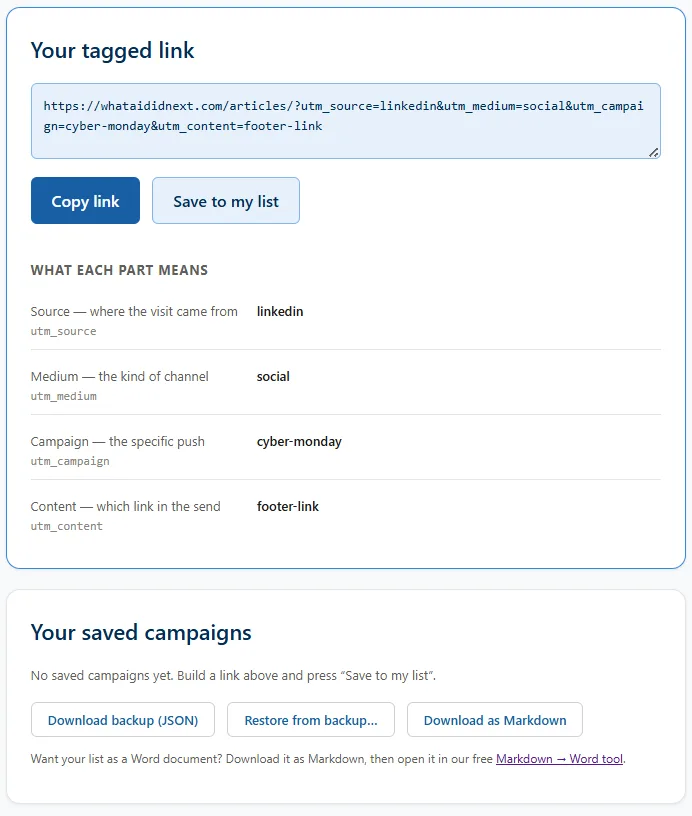
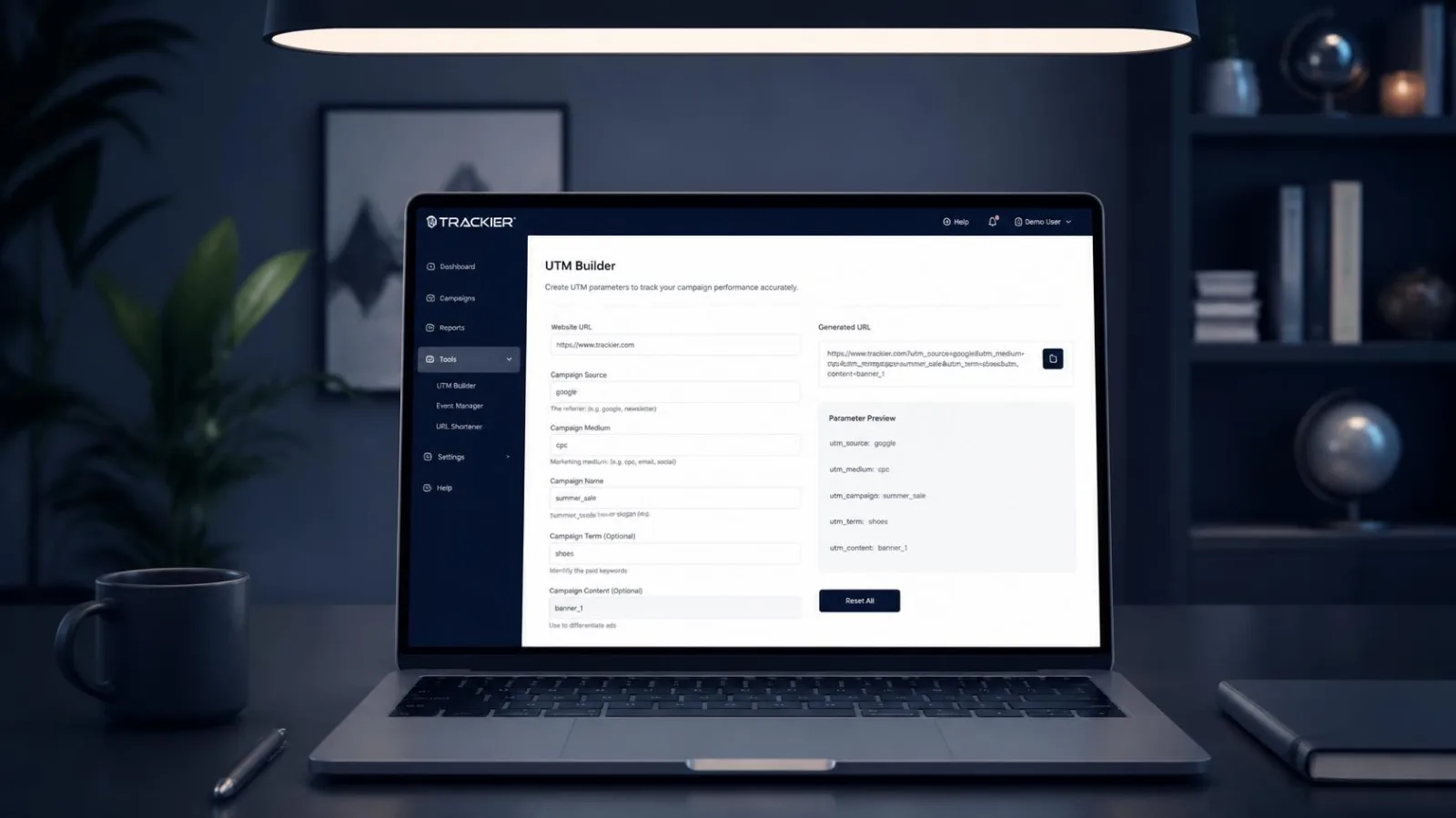
If you use Google Analytics, Active Campaign, Mailchimp, Adobe Analytics, Mixpanel, UTM.io or any other UTM Tracking tool and are looking for a simple to use UTM Builder that saves your campaign links in your browser and not in the cloud, we built a free tool that can do just that for you. Check out our UTM Link Tracking Builder and Campaign Saver Tool - Yours free to use in your own Campaign Building in the button link below.